Before deploying capital to any protocol on Ink, you need to understand what Ink actually is and the trust assumptions you're accepting.
Ink is an OP Stack Layer 2 rollup built by Kraken, one of the largest centralised cryptocurrency exchanges. It settles to Ethereum mainnet and is part of the Optimism Superchain ecosystem (one of 34+ chains). Like all OP Stack chains, Ink inherits Ethereum's base-layer security for final settlement, but day-to-day operation depends on infrastructure that carries its own risk profile.
Sequencer centralisation: Ink's sequencer — the component that orders transactions and produces L2 blocks — is operated by the Ink team (Kraken). This is standard for OP Stack deployments, including Base (Coinbase) and OP Mainnet (Optimism Foundation). If the sequencer goes offline, no L2 transactions can process. Your funds remain safe on the L1, but you cannot interact with any Ink protocol — including Tydro — until the sequencer resumes. You cannot repay debt, add collateral, or withdraw assets during downtime.
Fault proofs: Ink implemented multiple fault proof challengers (both Kraken and Gelato, as of January 2025), making it the first Superchain chain with this configuration. This protects against state fraud — a malicious sequencer cannot create invalid withdrawals or steal funds. However, fault proofs do not protect against sequencer liveness failure. This is a known tradeoff of the Optimistic Rollup architecture shared by every OP Stack chain.
Decentralisation stage: Like most OP Stack L2s at this phase, Ink is at an early stage of decentralisation. The sequencer is centralised, and upgrade keys are controlled by the team. Users are trusting Kraken's operational integrity and reputation, not a fully decentralised validator set.
Network details for wallet setup:
- ›Chain ID: 57073
- ›RPC endpoint: https://rpc-gel.inkonchain.com (verify against docs.inkonchain.com for the latest)
- ›Block explorer: https://explorer.inkonchain.com
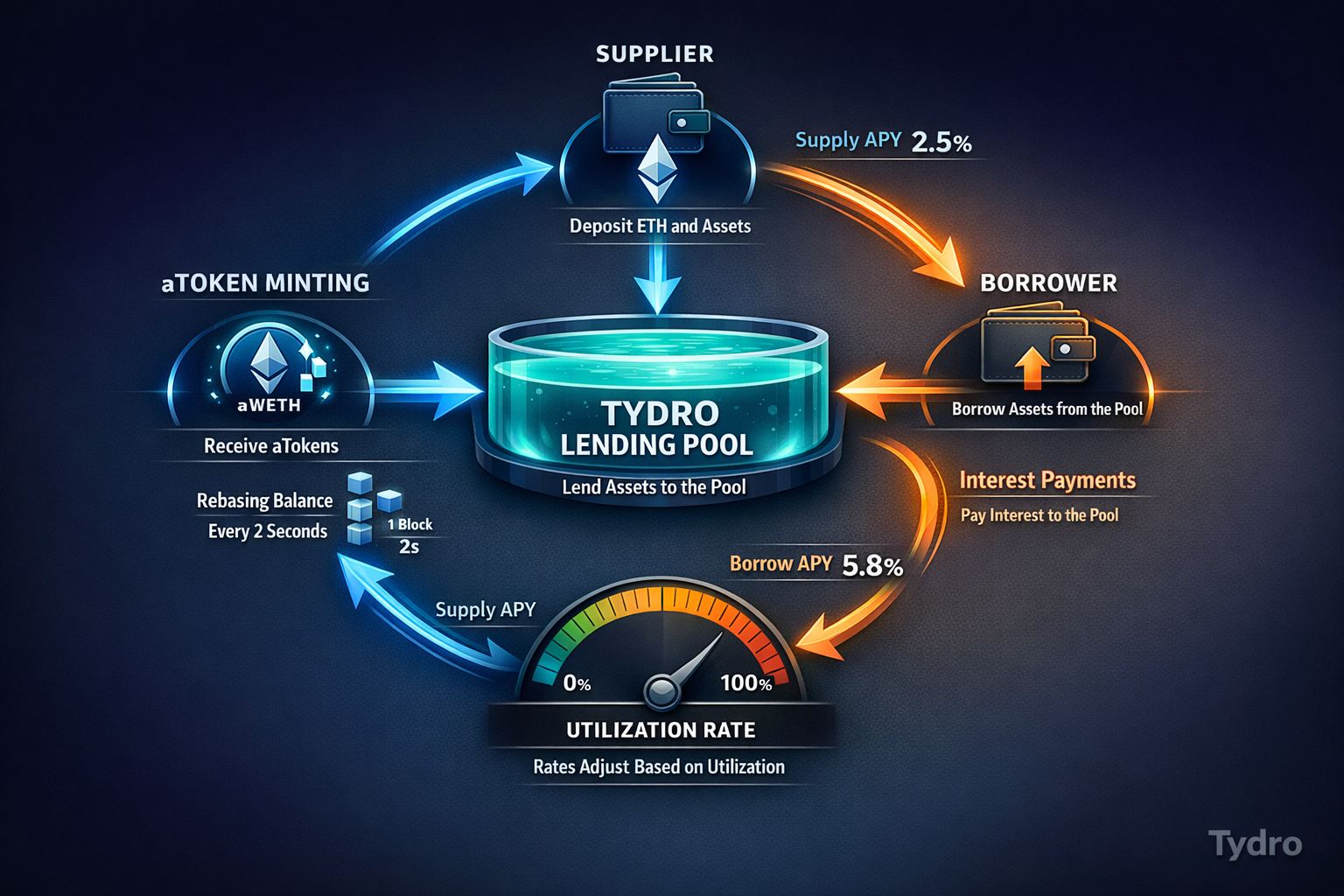
- ›Block time: ~2 seconds (standard OP Stack configuration — verify against the explorer if this changes)
- ›Native gas token: ETH
To add Ink to MetaMask manually: Settings → Networks → Add Network → enter the above details. If using a Ledger hardware wallet, note that Ledger Live does not natively support Ink. You must connect your Ledger to MetaMask as an intermediary and enable blind signing in the Ethereum app settings on your Ledger device. Blind signing means your Ledger will display a hash of the transaction data rather than human-readable details for smart contract interactions — this is necessary for interacting with DeFi protocols but means you're trusting the MetaMask frontend to accurately represent what you're signing. Always verify transaction details on the Tydro interface before confirming on your Ledger.
The bottom line: Deploying capital to Ink means trusting Kraken to operate the sequencer honestly and reliably, trusting the OP Stack's fault proof system to catch invalid state transitions, and trusting that the Aave V3 contracts deployed on Ink are configured correctly. Each of these is a reasonable trust assumption, but none is zero-risk. Understand what you're accepting before proceeding.